
Accepted hackers
Refund your student ticket
Hackers get into House of Communication only with a hacker ticket. If you already bought a Student Ticket on Luma, request a refund, cancel it, and register again with your hacker voucher. It takes about three minutes.
The message you'll paste twice
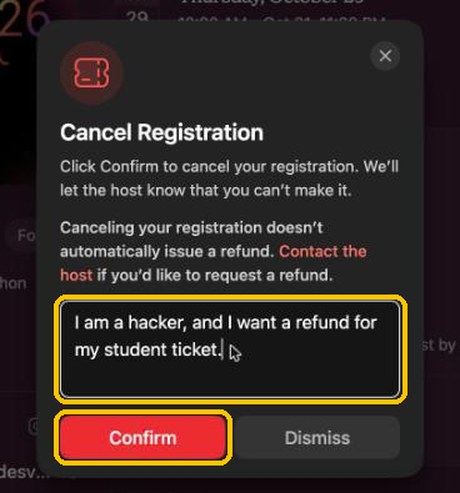
I am a hacker, and I want a refund for my student ticket.
You'll send it once to the host (step 3) and add it as a note when you cancel (step 6).
Before you start
- Sign in to luma.com with the same email you used to buy the Student Ticket.
- Use a laptop if you can. On a phone the page is stacked into one column, but the buttons have the same names.
Step 1: Open the TBC26 event on Luma
Go to luma.com/tbc26. In the box on the right you should see You're In and Ticket: Student Ticket. If you don't see a Student Ticket there, you have nothing to refund and can skip this guide.
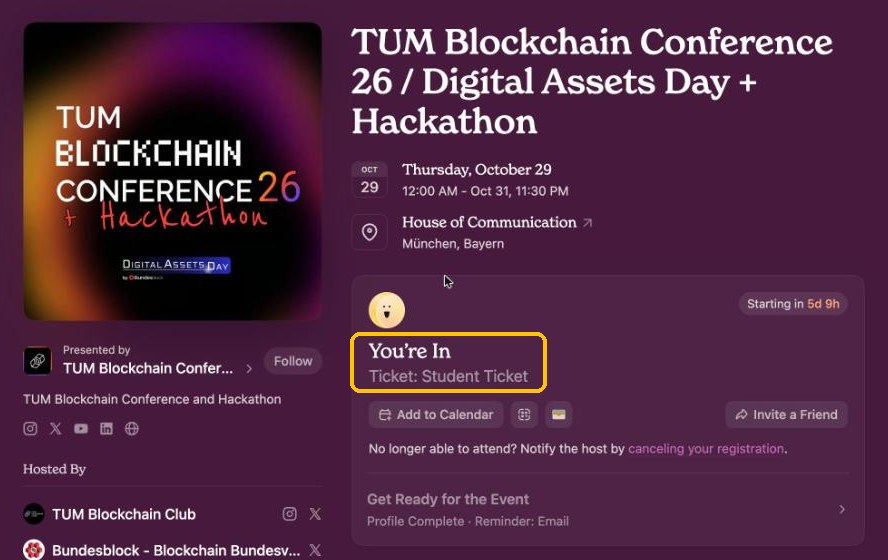
Step 2: Click "Contact the Host"
It's in the left column, below Hosted By.
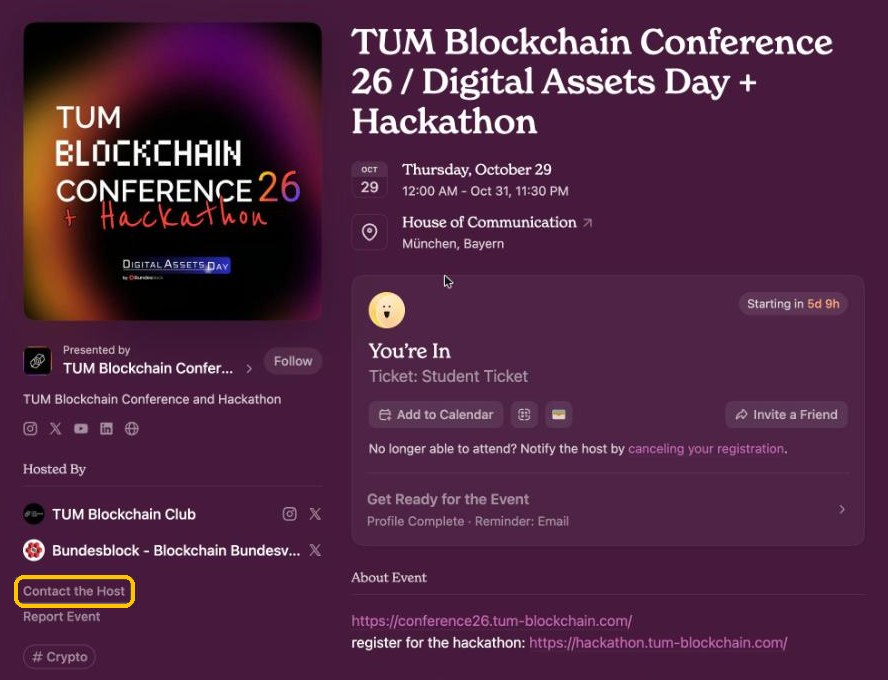
Step 3: Paste the message and send it
Paste "I am a hacker, and I want a refund for my student ticket." into the box, then click Send Message. Any reply from us goes to the email on your Luma account.
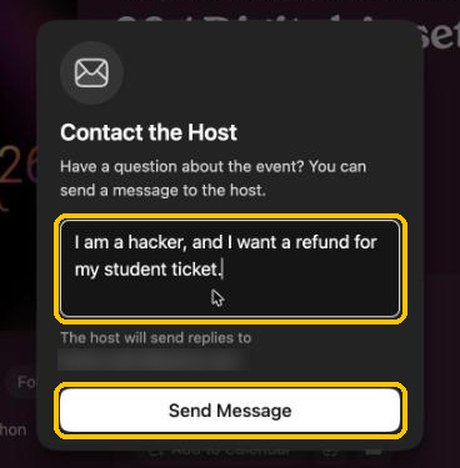
The email address under the box is hidden here. Yours will show your own Luma email. Step 4: Click "canceling your registration"
Back on the event page, find the line No longer able to attend? in the ticket box and click the pink link canceling your registration.
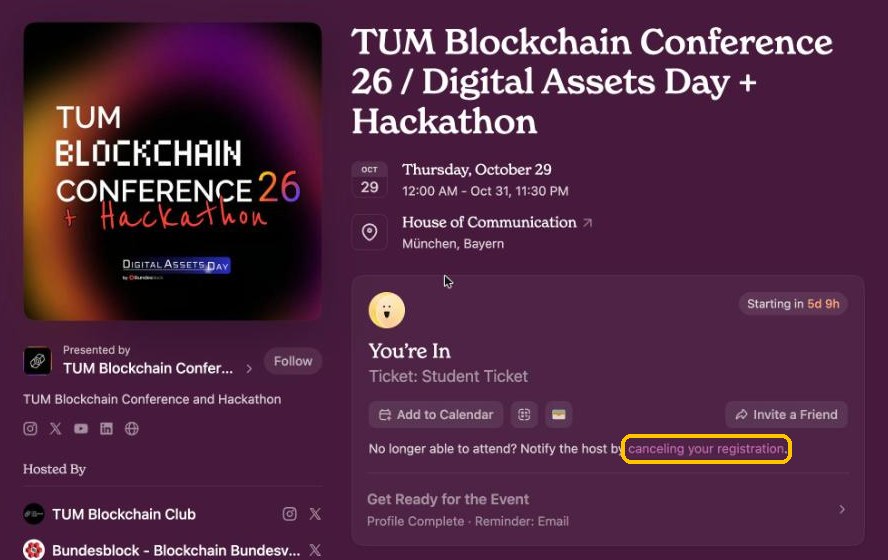
Step 5: Click "+ Add a personal note"
A Cancel Registration window opens. Click + Add a personal note to open a text box.
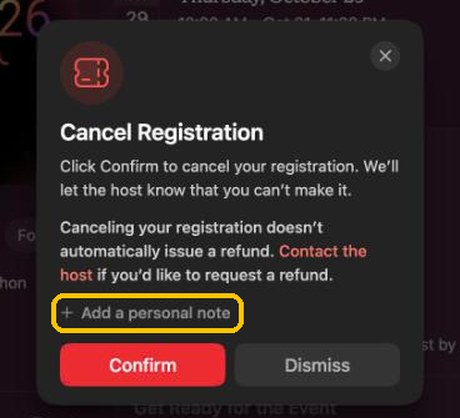
Cancelling alone does not refund you. Luma says this in the window itself. The message you sent in step 3 is what tells us to refund you, so don't skip it.
Step 6: Paste the message again and click Confirm
Paste the same text into the note and click Confirm. Your Student Ticket is now cancelled.
Step 7: Open your voucher link and click "register again"
The ticket box now says You're Not Going. Open your personal Luma link from the email we sent with your link and code, click register again in the ticket box, then pick the hacker ticket and enter your personal code to pay the €50 deposit.
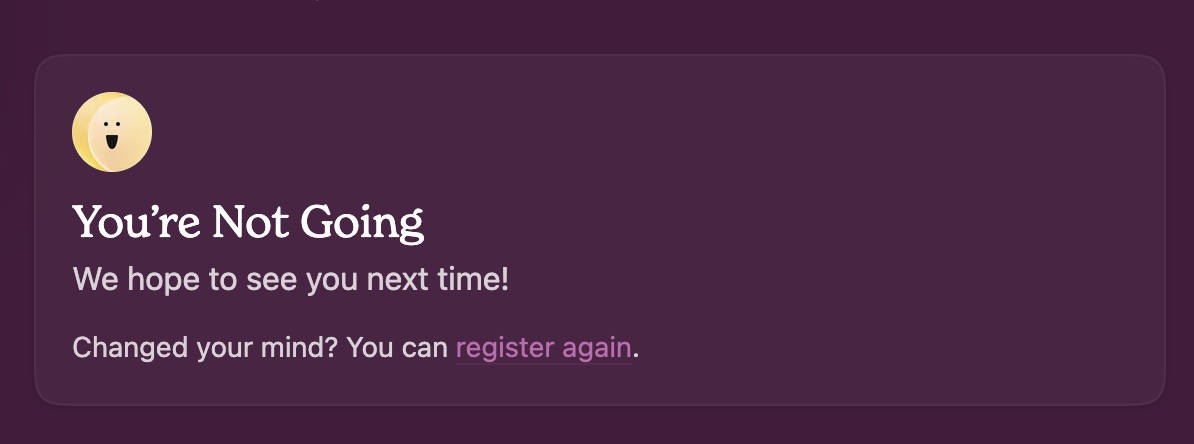
The voucher link won't open the ticket selection by itself. Because you cancelled a registration, you have to click register again first. Only then can you choose the hacker ticket.
What happens next
- We issue the refund from our side. Luma emails you when it's done, and the money goes back to the card or account you paid with. How long it takes to show up depends on your bank.
- Pay your €50 hacker deposit in step 7 before the deadline in the email with your personal link. If you don't, your place goes to someone on the waitlist.
- Questions? Reply to your acceptance email or write to hackathon@tum-blockchain.com.
Screenshots taken on the Luma desktop site, October 2026. TUM Blockchain Club e.V., Munich.